 Furnishi
Enquiry & quotation
Capture the enquiry with product, face area, location code and coordinators. Quote is calculated from the central rate card — face area × rate — not typed by hand.
Furnishi is not a CRM with a projects add-on. It is built around one object — the job order — and every stage, role, document, photo, snag and rupee attaches to it.
Capture the enquiry with product, face area, location code and coordinators. Quote is calculated from the central rate card — face area × rate — not typed by hand.
Confirmed enquiries become orders with a status machine: WIP, client took a break, hold for site issue, hold for snag material, deep cleaning, ready for inspection.
Assign a survey partner, capture the measurement sheet and attachments, and close the survey against the same order that will later be installed.
Issue, reason, solution, action taken, photo and video against every snag. Cost of the fix is recorded — and visible only to the factory.
A mandatory checklist and a captured customer signature. The order cannot be signed off until every item is answered.
Post-handover complaints route to the right partner, carry their own SLA clock, and roll up into the AMC contract on the property.
Partner payouts computed from completed work, gated on order closure and an L3 approval. Pending and released are separate screens with separate permissions.
Work partners and survey partners with firm, work location, coverage pincodes, rate level and document set. Assignment is by location, not by memory.
Products, product codes, location codes, source firms, work types, statuses and reasons — one place, versioned, with the platform-level defaults inherited.
Because every stage writes to the same record, the dashboard is a read of reality rather than a summary somebody typed on Friday.
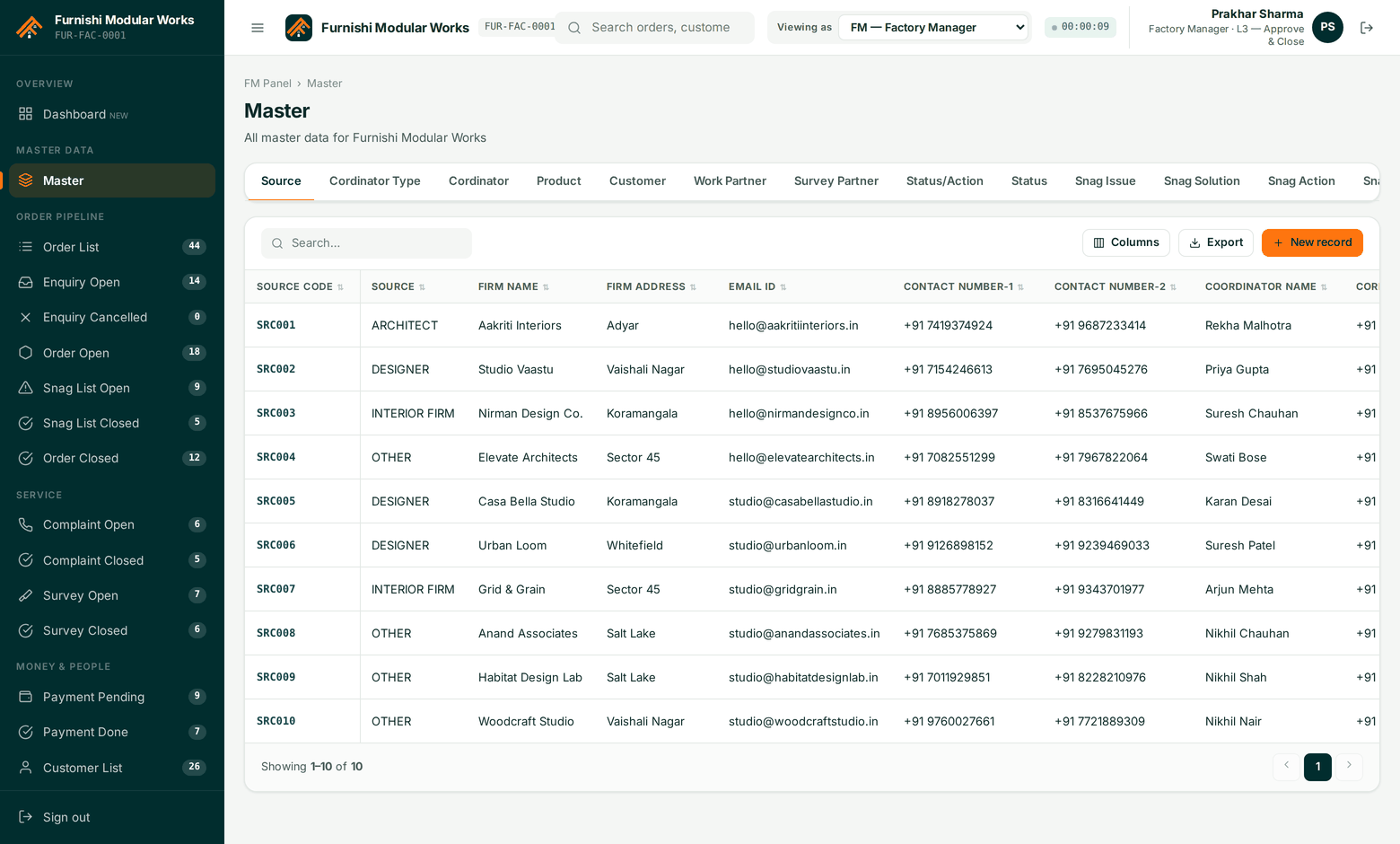
The data model was designed against the client's own operating workbook and then verified by running it: 66 tables, 15 enumerated types, 116 indexes and 5 enforcement triggers on PostgreSQL, with row-level security per tenant.
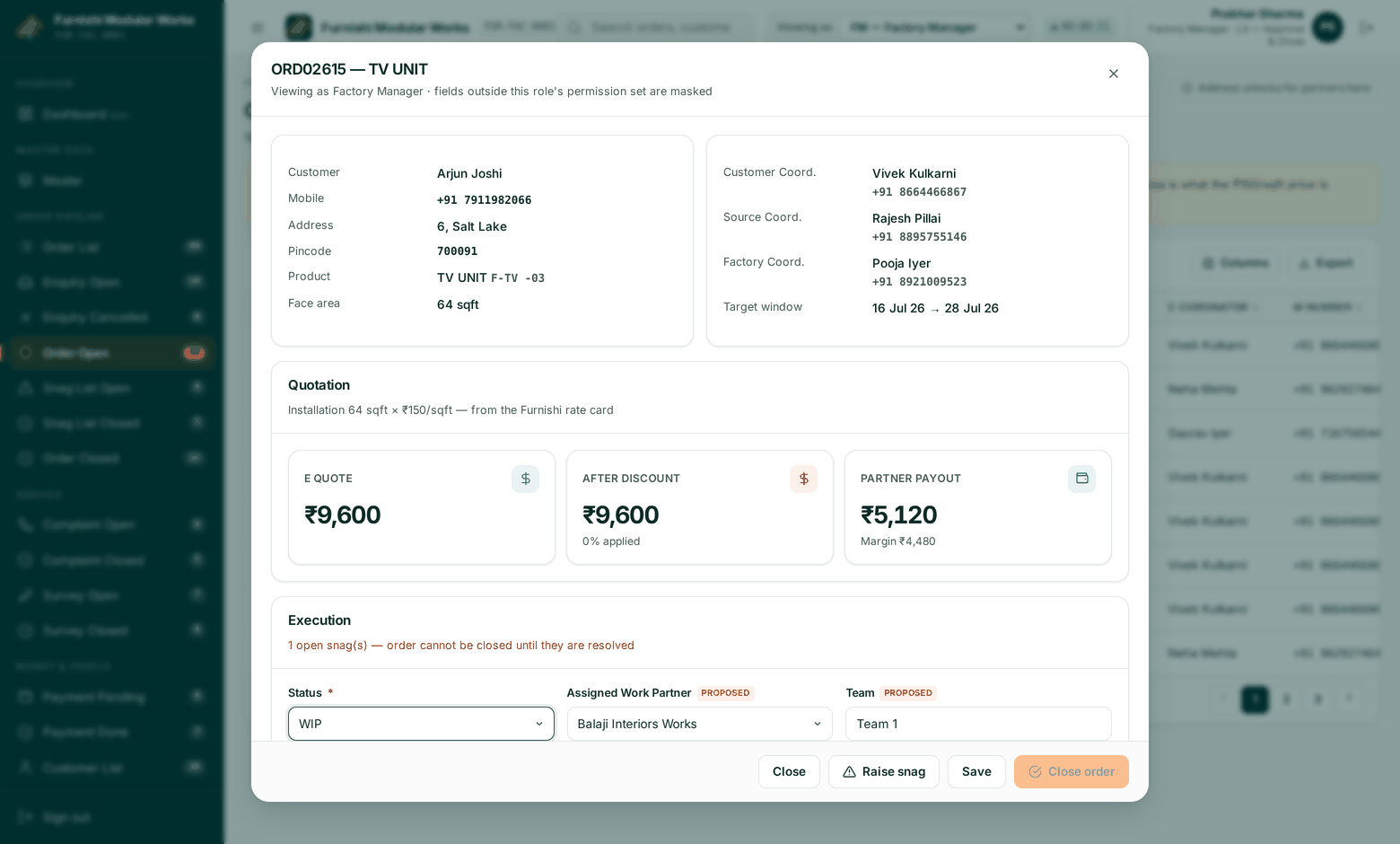
Switch the role you are viewing as and watch the columns appear and disappear. Train a new coordinator in ten minutes.
Every table exports to CSV with only the columns that role is allowed to see.
Assign a partner, change a status or schedule a date across a filtered set of orders.
Photos and video attach to the snag or the handover, not to a WhatsApp group that gets cleared.
Login duration on screen, configurable expiry, and forced re-auth for approval actions.
Field labels follow the language your coordinators already use on the floor.
Each user keeps their own column layout per screen, within what their role allows.
Search, filter, sort and page without leaving the keyboard.
A 40-minute walkthrough on your data — your products, your partner firms, your rate card. No slide deck.