 Furnishi
Nobody owns the truth
The factory thinks the order is closed. The partner thinks the snag is still open. The customer has been waiting nine days for a call. Three versions, no record.
Furnishi runs the whole job — survey, enquiry, quotation, order, installation, snag list, handover, AMC and payout — across your factory and every outside partner firm you work with. And it does it without ever handing your customer list to them.
Every factory we spoke to runs the same stack: a spreadsheet for orders, WhatsApp groups per site, and a phone call to find out what happened. It works until it doesn't — and when it doesn't, nobody can prove what was agreed.
The factory thinks the order is closed. The partner thinks the snag is still open. The customer has been waiting nine days for a call. Three versions, no record.
To send a partner to a site you send them the name, the phone number and the address. That partner works for four other factories too. You just gave away your database.
The partner invoices at month end for work nobody can verify. Snags get closed to release money instead of money being released because snags were closed.
Most software asks "can this user open Orders?" Furnishi asks "which fields of this order can this user see?" — because the partner installing your kitchen needs the pincode and the product code, and has no business knowing whose kitchen it is.
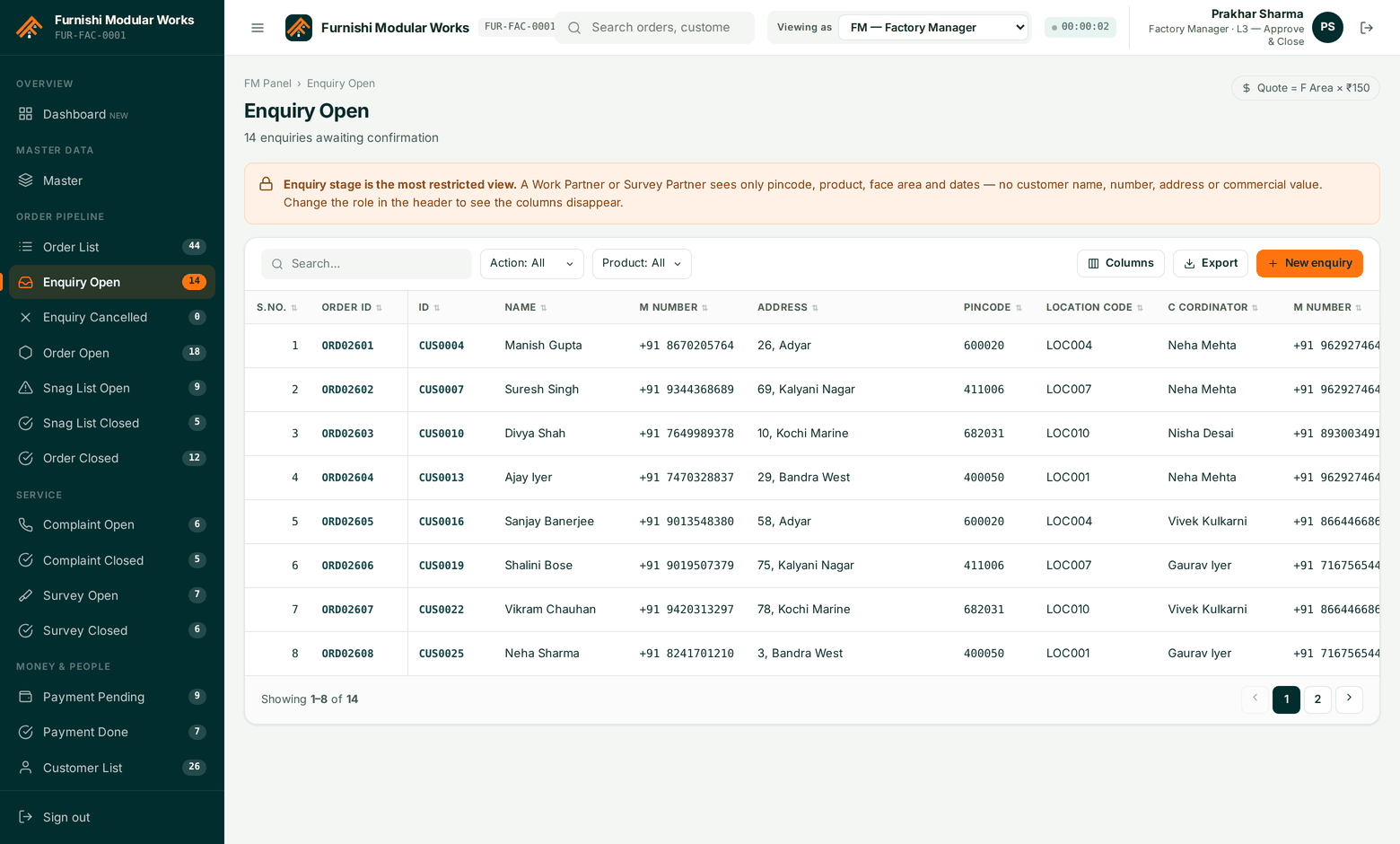
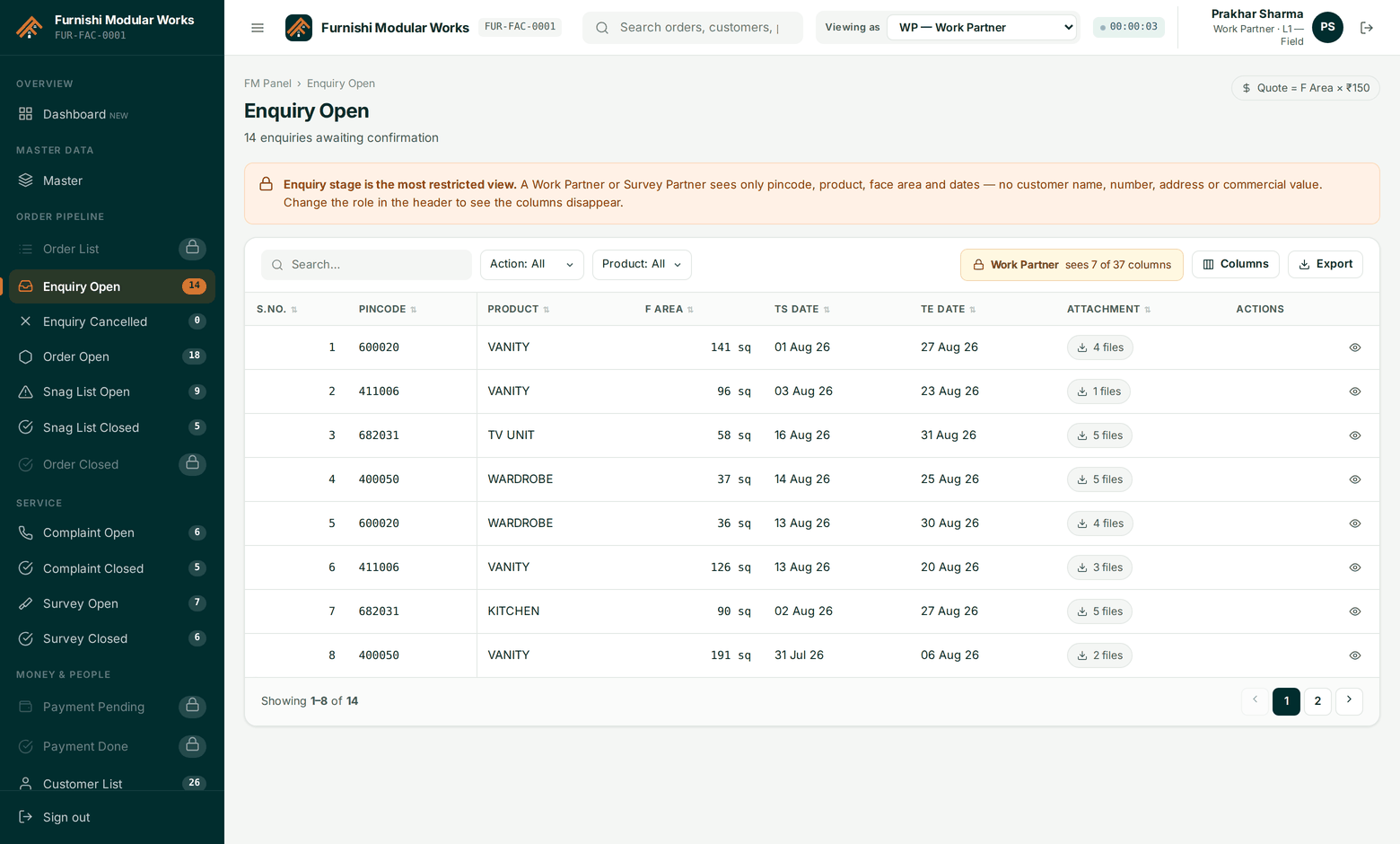
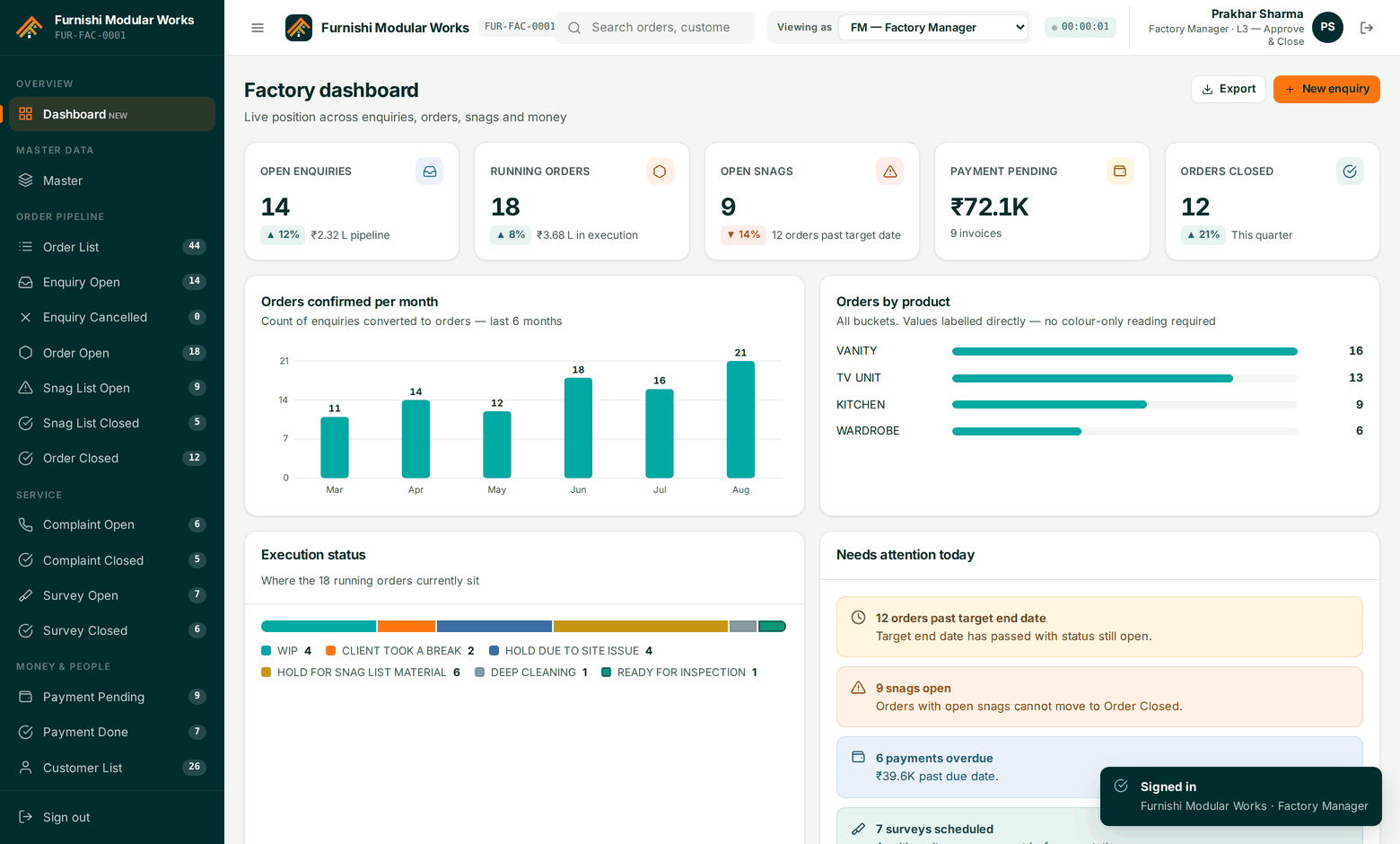
Your operations desk. 17 screens covering the order pipeline, snag lists, service, surveys, payouts, customers and masters — with role switching built in.
Work and survey partner firms log into the same system and see only their own jobs, stripped of customer identity. Upload photos, close snags, get paid on evidence.
Your homeowner tracks the job, approves the quote, watches the install, signs the handover and raises AMC complaints — without calling your coordinator.
The order is created once at enquiry and carries the same ID to the payout. Every stage adds to it; nothing starts a new spreadsheet.
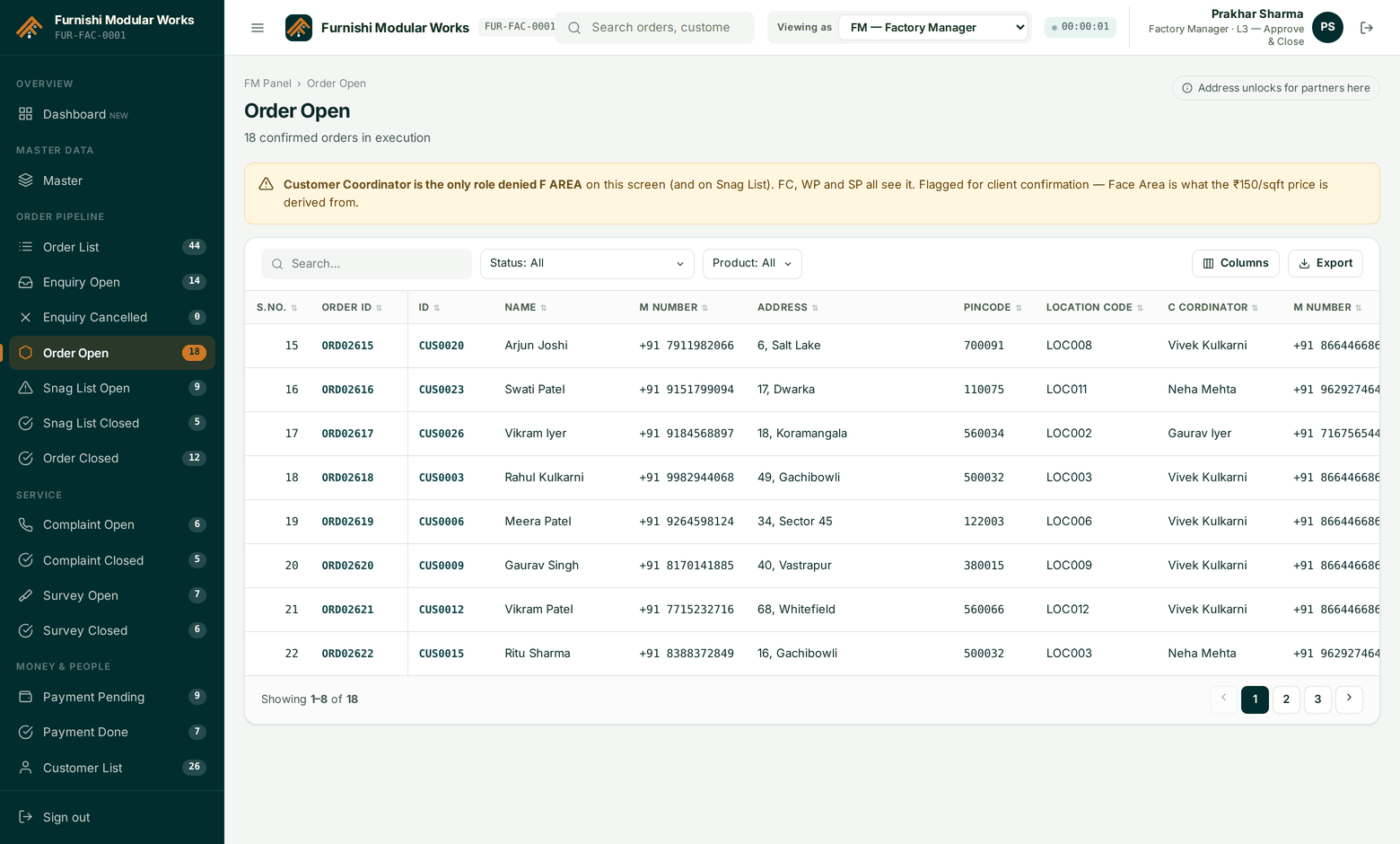
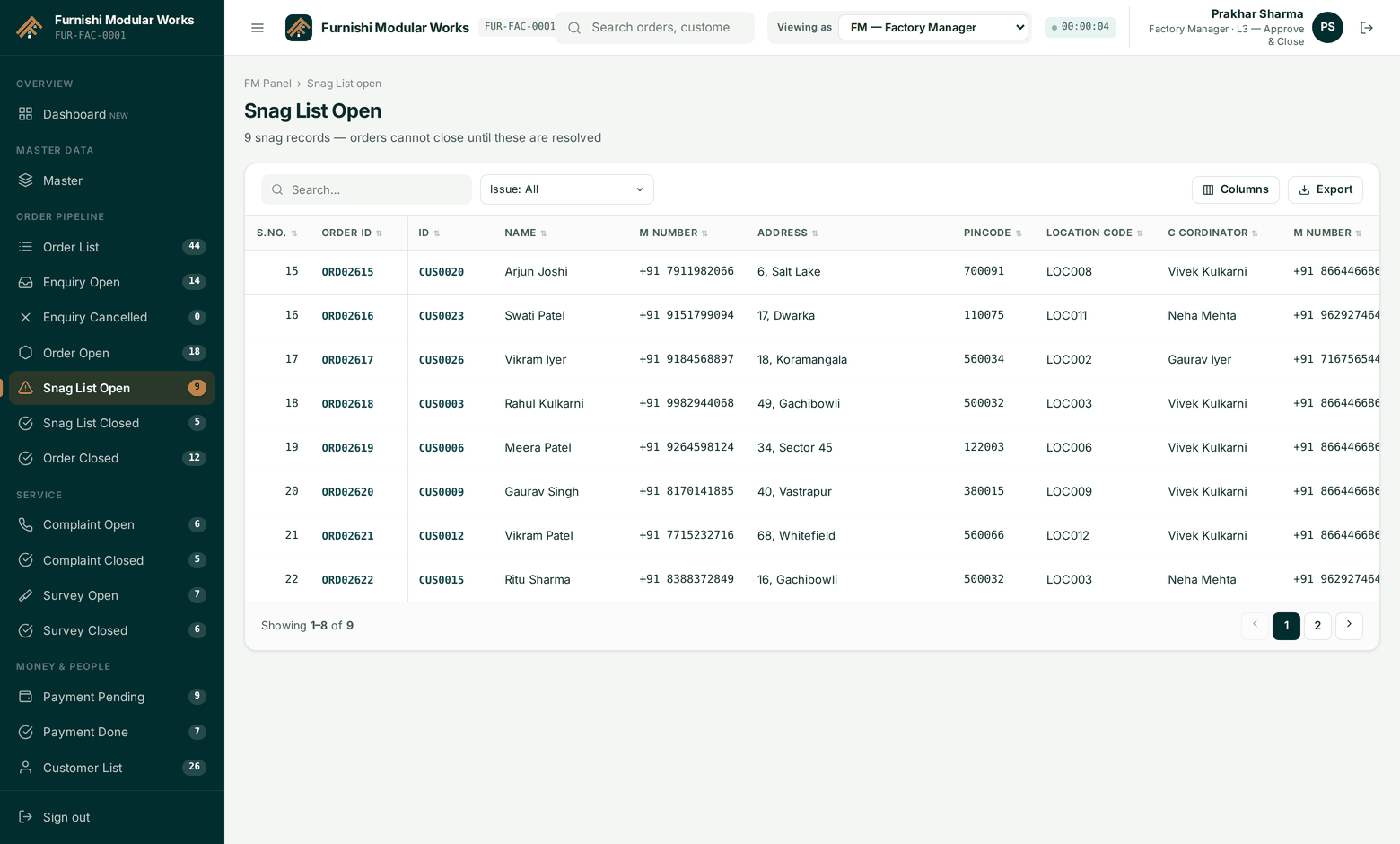
These are not policy documents. They are database constraints — the system physically refuses the action.
Not a warning, a rejection. If a single snag on the job is still open, the close button returns an error naming the snag.
Partner money is released only when the order is closed and an L3 approver has signed it. The approver name is stored with the release.
Digital sign-off will not record until every mandatory checklist item is answered and the customer signature is captured.
Furnishi is multi-tenant from the ground up. Each factory is an isolated tenant — its own users, partners, customers and orders — while the platform team manages the rate card, global masters, subscriptions and the audit trail across all of them.
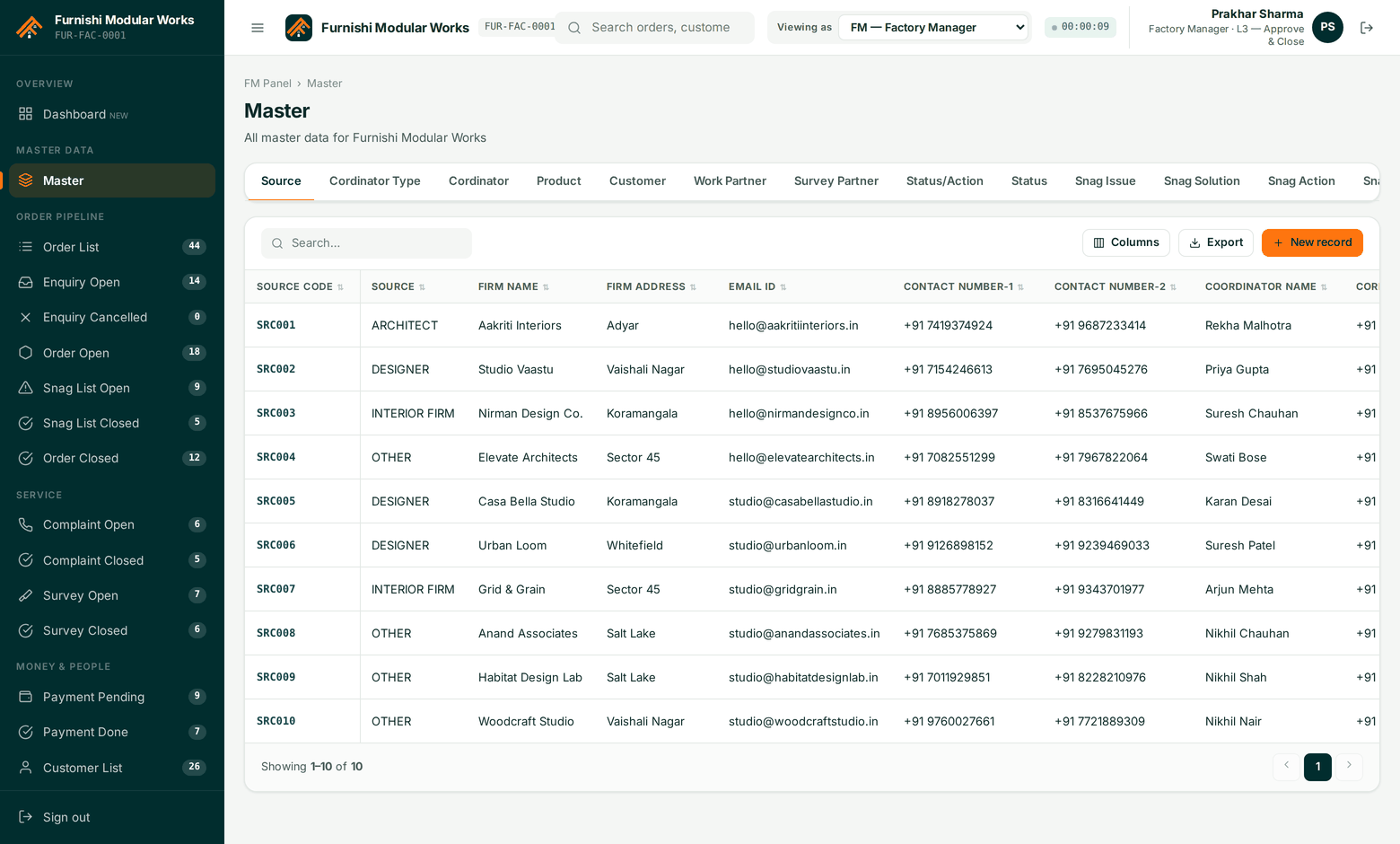
Built for how Indian modular manufacturing actually works
A 40-minute walkthrough on your data — your products, your partner firms, your rate card. No slide deck.